GitHub Hot Board

GitHub Hot Board · Archivo del repositorio

divamgupta/diffusionbee-stable-diffusion-ui

Diffusion Bee is the easiest way to run Stable Diffusion locally on your M1 Mac. Comes with a one-click installer. No dependencies or technical knowledge needed. (Esta descripción procede del propio repositorio.)

Datos al October 26divamgupta

Mejor puesto

#441

Histórico · JavaScript por idioma

14K

Estrellas totales

727

Forks totales

0

Días en rankings (30 d)

Estado del proyectoLicencia: AGPL-3.0Último push: October 30Issues abiertos (PR incl.): 398

Recolectado desde 2026-10-25; desconocido = aún no recopilado

Pon la insignia en tu README · divamgupta/diffusionbee-stable-diffusion-ui[![Pon la insignia en tu README](https://git.vaiox.xyz/api/badge/divamgupta/diffusionbee-stable-diffusion-ui.svg)](https://git.vaiox.xyz/es/repo/divamgupta/diffusionbee-stable-diffusion-ui)
<a href="https://git.vaiox.xyz/es/repo/divamgupta/diffusionbee-stable-diffusion-ui"><img src="https://git.vaiox.xyz/api/badge/divamgupta/diffusionbee-stable-diffusion-ui.svg" alt="Pon la insignia en tu README" height="20"></a>

Documentación del proyecto

Diffusion Bee - Stable Diffusion GUI App for MacOS

Twitter

Diffusion Bee is the easiest way to run Stable Diffusion locally on your Intel / M1 Mac. Comes with a one-click installer. No dependencies or technical knowledge needed.

  • Runs locally on your computer no data is sent to the cloud ( other than request to download the weights or unless you chose to upload an image ).
  • If you like Diffusion Bee, consider checking https://Liner.ai , a one-click tool to train machine learning models

Download

Download at https://diffusionbee.com/


For prompt ideas visit https://arthub.ai

Join discord server : https://discord.gg/t6rC5RaJQn

Features

  • Full data privacy - nothing is sent to the cloud ( unless you chose to upload an image )
  • Clean and easy to use UI with one-click installer
  • Image to image
  • Supported models : - SD 1.x, SD 2.x, SD XL, Inpainting, ControlNet, LoRA
  • Download models from the app
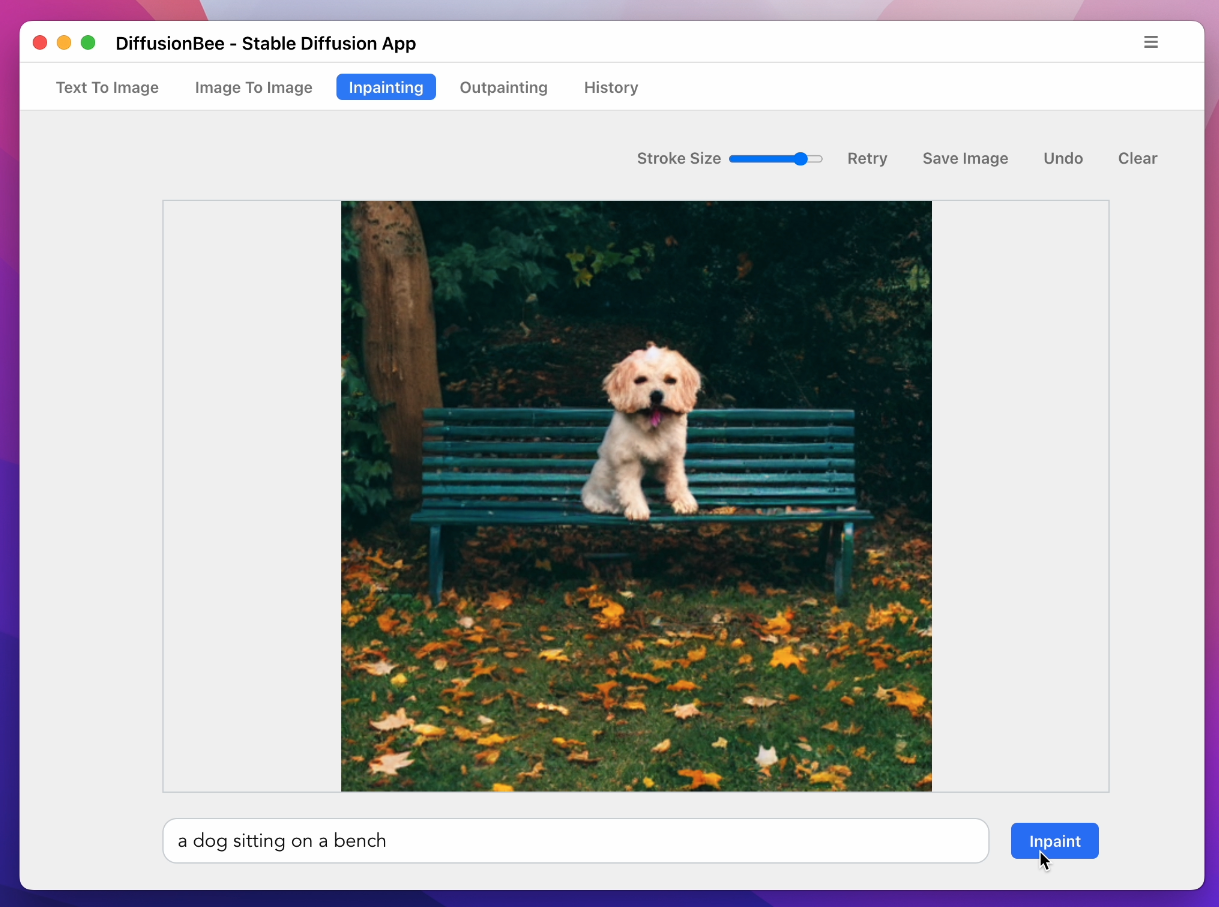
  • In-painting
  • Out-painting
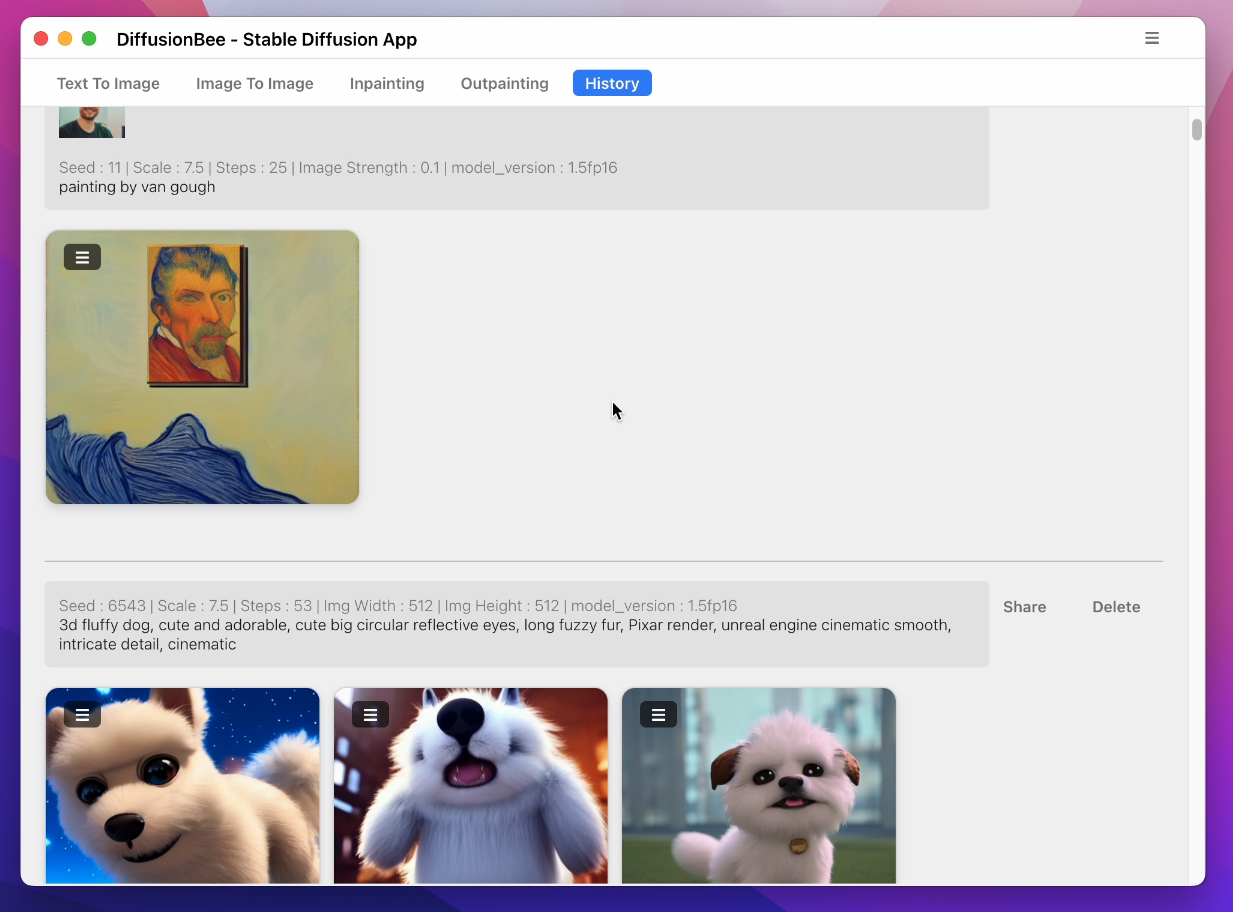
  • Generation history
  • Upscaling images
  • Multiple image sizes
  • Optimized for M1/M2 Chips
  • Runs locally on your computer
  • Negative prompts
  • Advanced prompt options
  • ControlNet

How to use

  1. Download and start the application

image

  1. Enter a prompt and click generate

Text to image:

Screenshot 2023-12-13 at 1 19 38 PM

Image to image:

Screenshot 2023-12-13 at 1 14 35 PM

Multiple Apps:

Screenshot 2023-12-13 at 1 11 14 PM

Image to image with mask:

image

Inpainting:

image

image

Advanced AI Canvas:

Screenshot 2023-12-13 at 1 13 59 PM

image

ControlNet:

Screenshot 2023-12-13 at 1 12 43 PM

Screenshot 2023-12-13 at 1 12 22 PM

Download Models:

Screenshot 2023-12-13 at 1 13 08 PM

History:

image

To learn more, visit the documentation.

Requirements

  • Mac with Intel or M1/M2 CPU
  • For Intel : MacOS 12.3.1 or later
  • For M1/M2 : MacOS 11.0.0 or later

License : Stable Diffusion is released under the CreativeML OpenRAIL M license : https://github.com/CompVis/stable-diffusion/blob/main/LICENSE Diffusion Bee is just a GUI wrapper on top of Stable Diffusion, so all the term of Stable Diffusion are applied on the outputs.

References

  1. https://github.com/CompVis/stable-diffusion
  2. https://github.com/madebyollin/maple-diffusion
  3. https://github.com/divamgupta/stable-diffusion-tensorflow
  4. https://github.com/liuliu/swift-diffusion (big thanks to Liu Liu)
  5. https://github.com/huggingface/diffusers

Clasificaciones actuales

Evolución de los últimos 30 días

Sin registros en los últimos 30 días.

Proyectos similares · temas compartidos

← Volver a los rankings