
Get Peace of Mind
with Easy Privacy
Portmaster is a free and open-source application firewall that does the heavy lifting for you. Restore privacy and take back control over all your computer's network activity.
With great defaults your privacy improves without any effort. And if you want to configure and control everything down to the last detail - Portmaster has you covered too. Developed in the EU 🇪🇺, Austria.
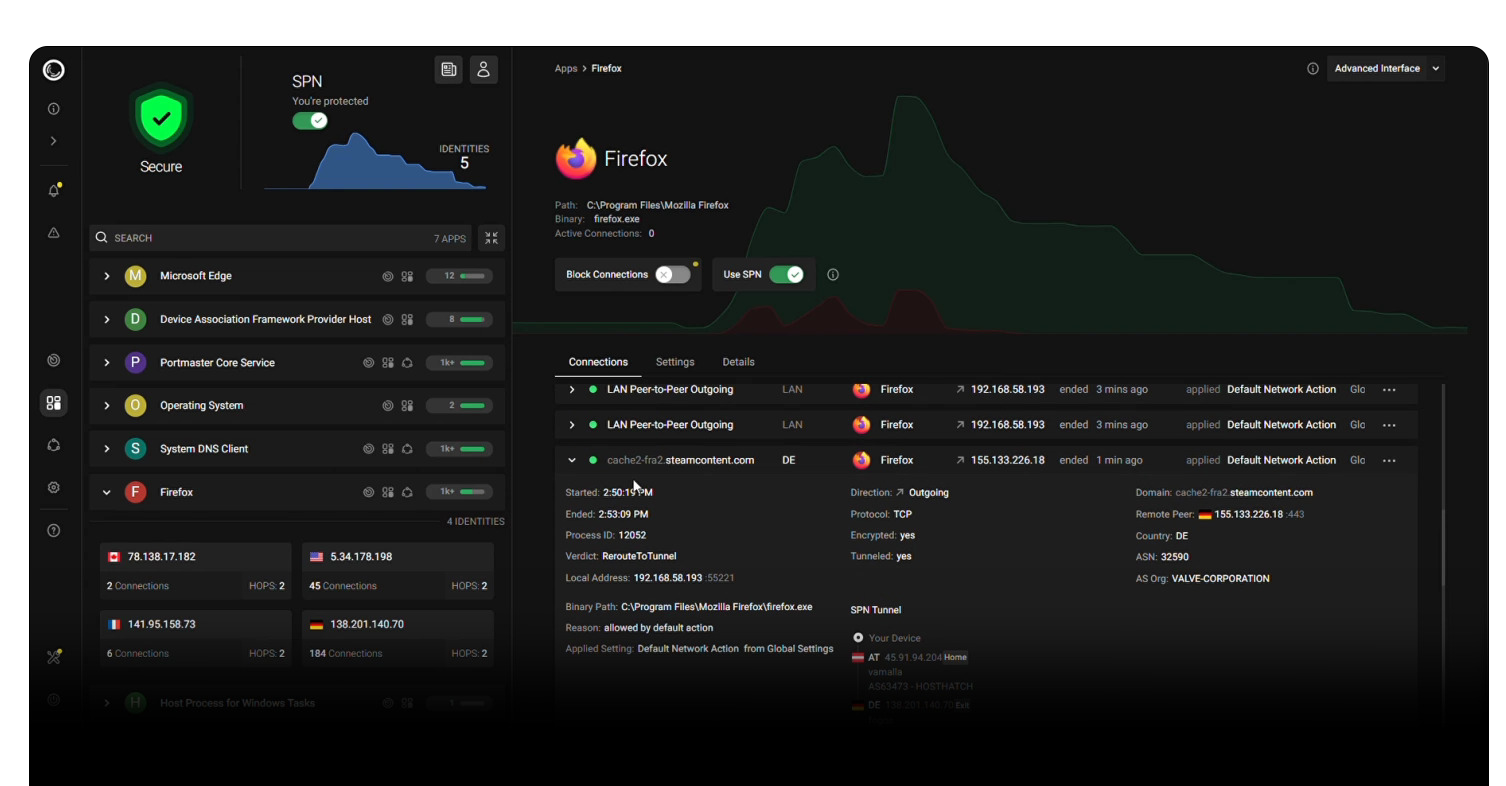
seen on:




- Monitor All Network Activity
- Full Control: Block Anything
- Automatically Block Trackers & Malware
- Set Global & Per‑App Settings
- Secure DNS (Doh/DoT)
- Record and Search Network Activity ($)
- Per-App Bandwidth Usage ($)
- SPN, our Next-Gen Privacy Network ($$)
Portmaster is a privacy suite for your Windows and Linux desktop.
- Portmaster integrates into network stack using nfqueue on Linux and a kernel driver (WFP) on Windows.
- Packets are intercepted at the raw packet level - every packet is seen and can be stopped.
- Ownership of connections is found using eBPF and
/procon Linux and a kernel driver and the IP Helper API (iphlpapi.dll) on Windows. - Most settings can be defined per app, which can be matched in different ways.
- Support for special processes with weird or concealed paths/actors:
- Snap, AppImage and Script support on Linux
- Windows Store apps and svchost.exe system services support on Windows
- Everything is 100% local on your device. (except the SPN, naturally)
- Updates are fully signed and downloaded automatically.
- Intelligence data (block lists, geoip) is downloaded and applied automatically.
- The Portmaster Core Service runs as a system service, the UI elements (App, Notifier) run in user context.
- The main UI still uses electron as a wrapper :/ - but this will change in the future. You can also open the UI in the browser
- Portmaster intercepts "astray" DNS queries and reroutes them to itself for seamless integration.
- DNS queries are resolved by the default or configured DoT/DoH resolvers.
- Full support for split horizon and horizon validation to defend against rebinding attacks.
- Define allowed network scopes: Localhost, LAN, Internet, P2P, Inbound.
- Easy rules based on Internet entities: Domain, IP, Country and more.
- Filter Lists block common malware, ad, tracker domains etc.
- Record connections and their details in a local database and search all of it later
- Auto-delete old history or delete on demand
- Monitor bandwidth usage per connection and app
- A Privacy Network aimed at use cases "between" VPN and Tor.
- Uses onion encryption over multiple hops just like Tor.
- Routes are chosen to cover most distance within the network to increase privacy.
- Exits are chosen near the destination server. This automatically geo-unblocks in many cases.
- Exclude apps and domains/entities from using SPN.
- Change routing algorithm and focus per app.
- Nodes are hosted by Safing (company behind Portmaster) and the community.
- Speeds are pretty decent (>100MBit/s).
- Further Reading: SPN Whitepaper
All details and guides in the dedicated wiki
- Getting Started
- Install
- Contribute
- VPN Compatibility
- Software Compatibility
- Architecture
- Settings Handbook
- Portmaster Developer API
- Install Earthly CLI
- Install Docker Engine
- Run
earthly +release - Find artifacts in
./dist