
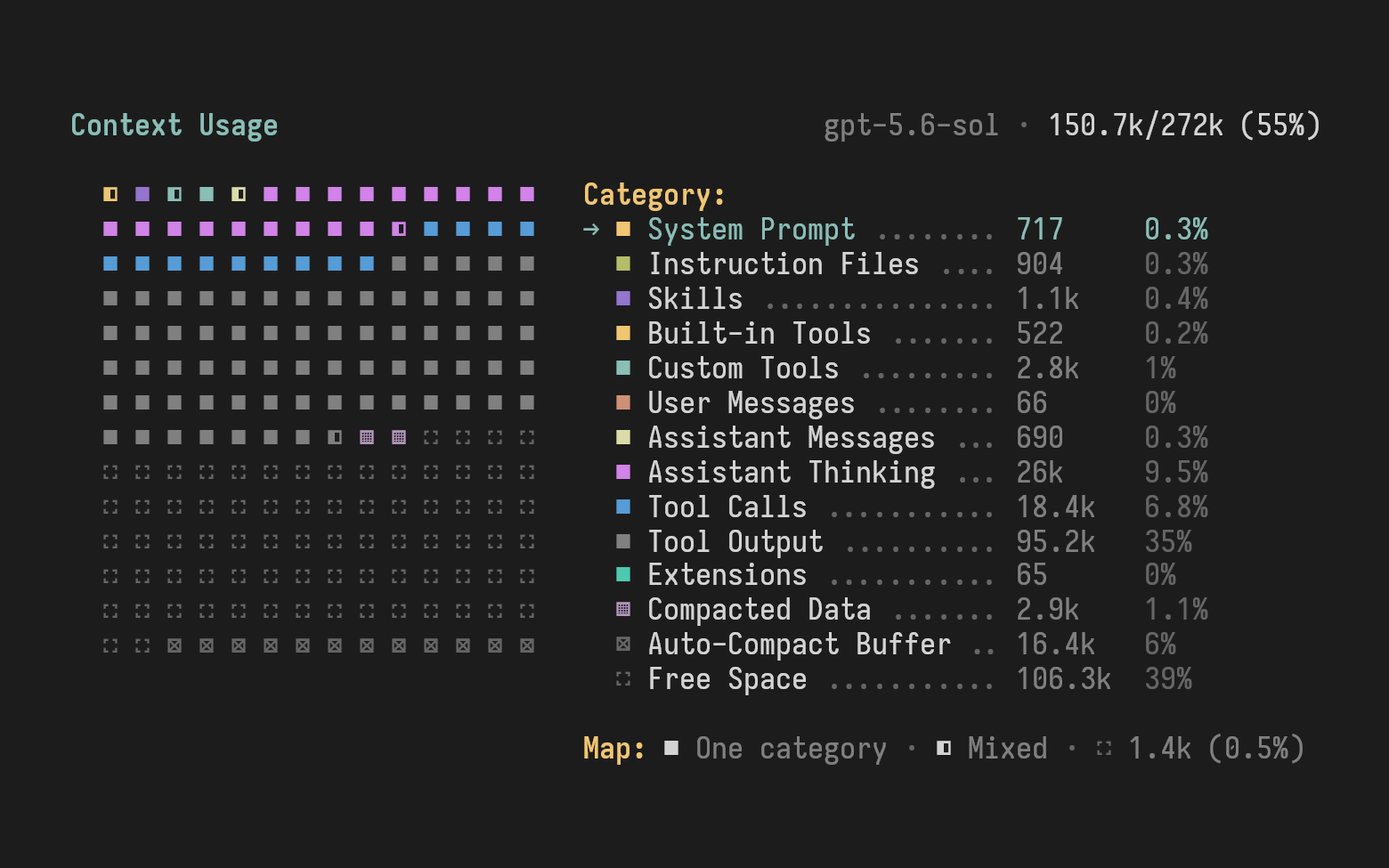




Pi extension that visualizes context usage and lets you inspect the parts you normally can't see: the system prompt, tool definitions, and instructions injected by other extensions.
-
Context usage map - visualize used and free context space, grouped by category (tools, skills, messages, and more).
-
Context injections - explore the hidden parts of the context: the system prompt, tool definitions, and extension injections, including changes that extensions make only to the request sent to the model.
/context- shorthand for/context usage./context usage- open the context usage visualization./context injections- explore the latest request's injections: its system prompt, tool definitions, and extension contributions./context config- create the global configuration file populated with defaults, useful for customization.
See what fills your context, for example, what survives compaction:
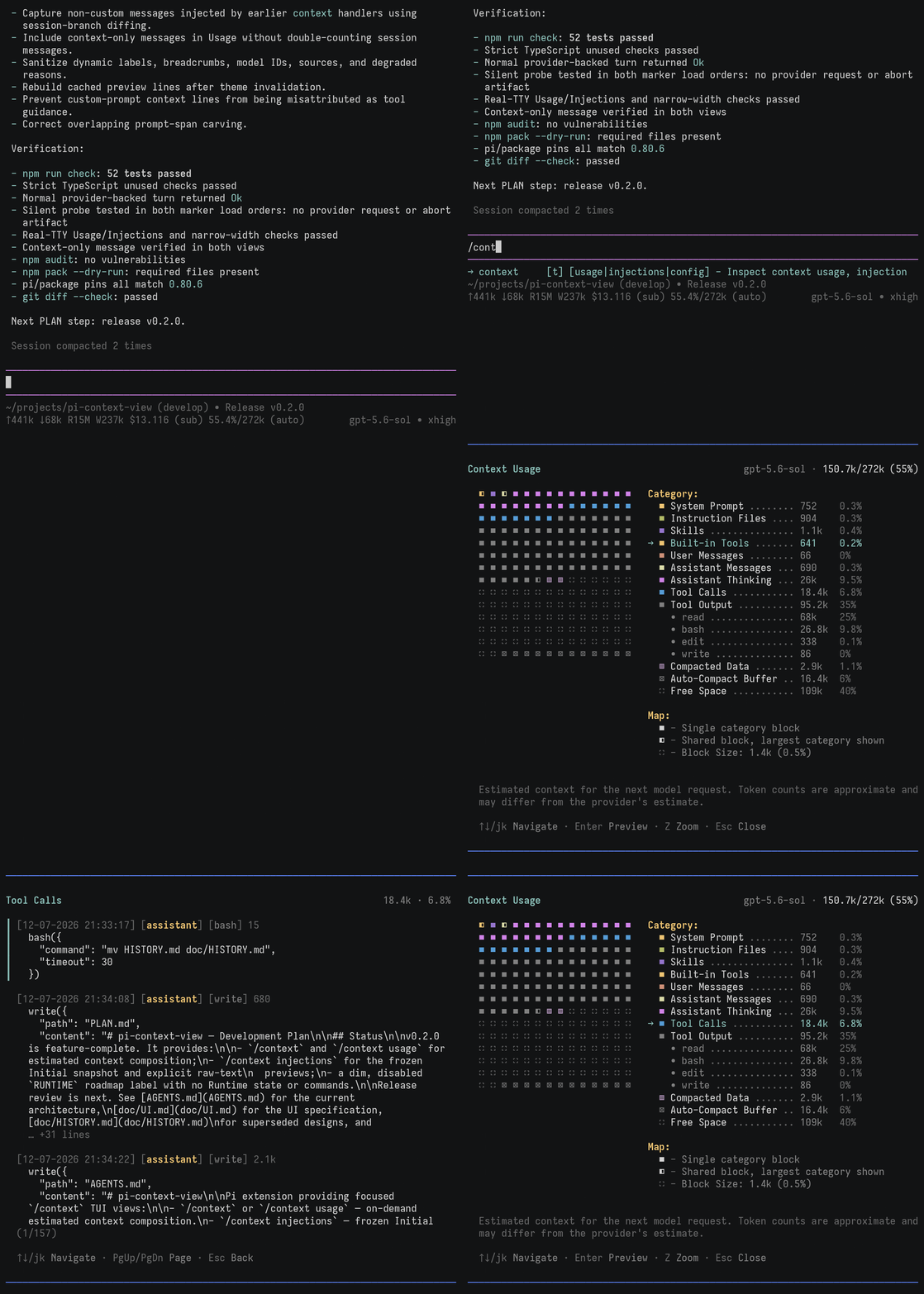
➥ Pi theme in this demo: dark-legacy.
Inspect hidden parts of the context, such as tool definitions:
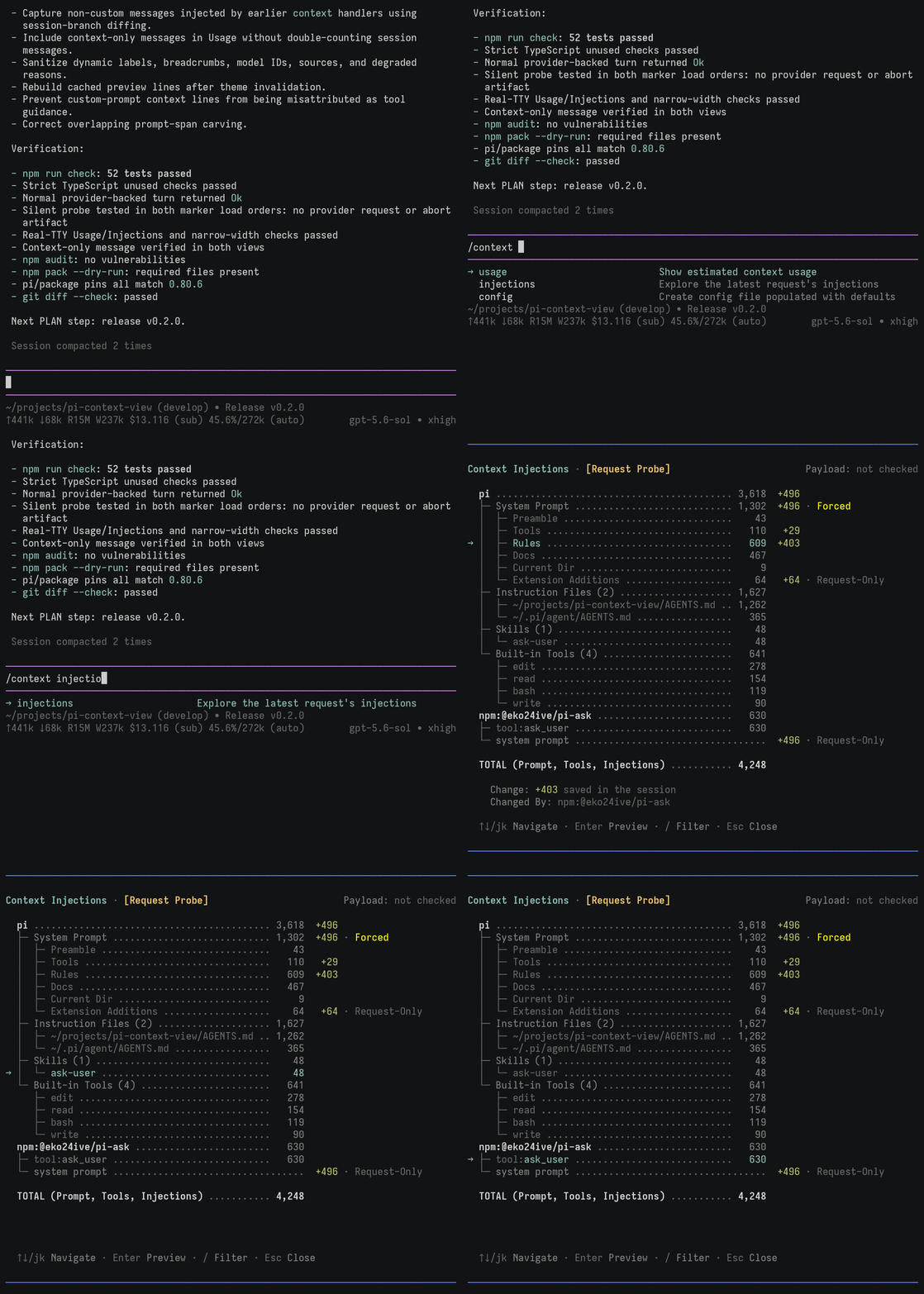
➥ Pi theme in this demo: dark-legacy.
Zoom in for a more detailed breakdown of large context windows, such as 1M-token windows:
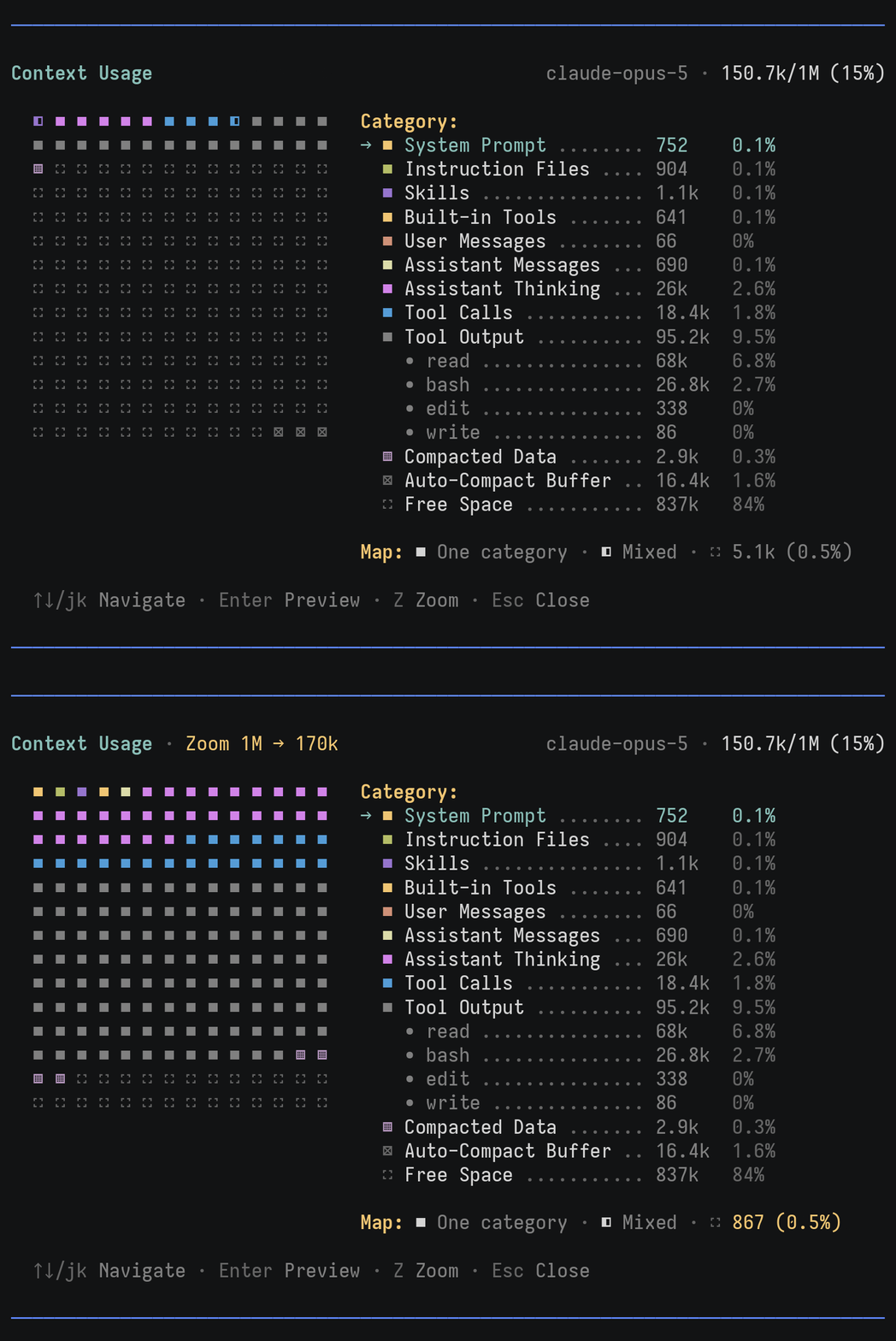
➥ Pi theme in this demo: dark-legacy.
pi install npm:pi-context-viewCurrently, you can customize only the colors and dimensions of the Context Usage map.
To get started, create a configuration file populated with the current defaults:
/context config
➥ This creates ~/.pi/agent/extensions/pi-context-view.json.
See the configuration reference for each parameter's meaning and default value.
You can use theme color names to match your current theme or hex values for colors that stay the same across themes. Here are examples of custom terrain and rainbow palettes:
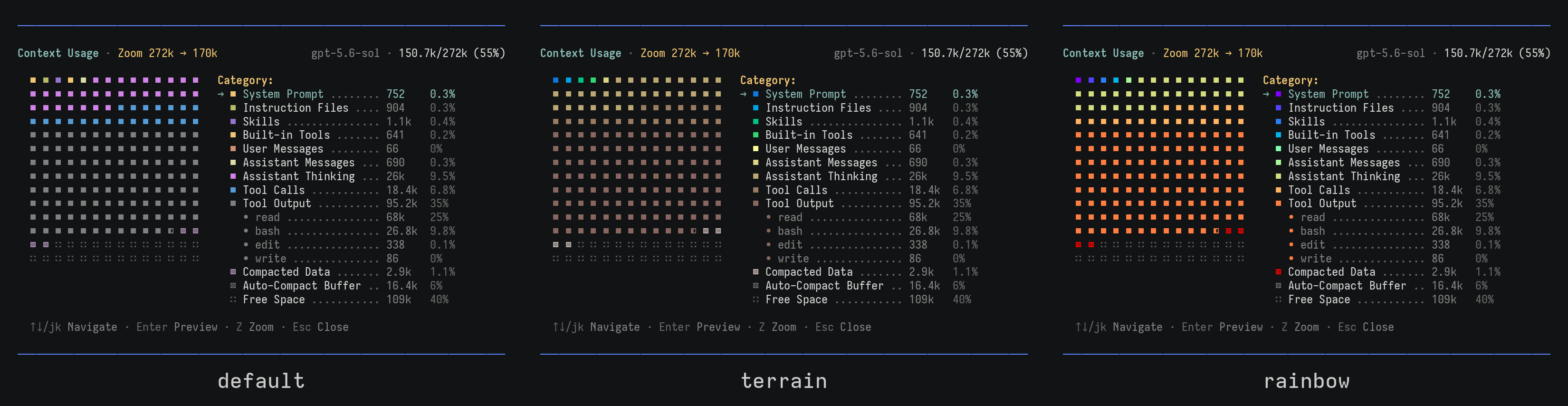
➥ Pi theme in this demo: dark-legacy.
See the theme color reference for color names that follow the current theme.
You can configure the number of rows and columns in the Context Usage map:
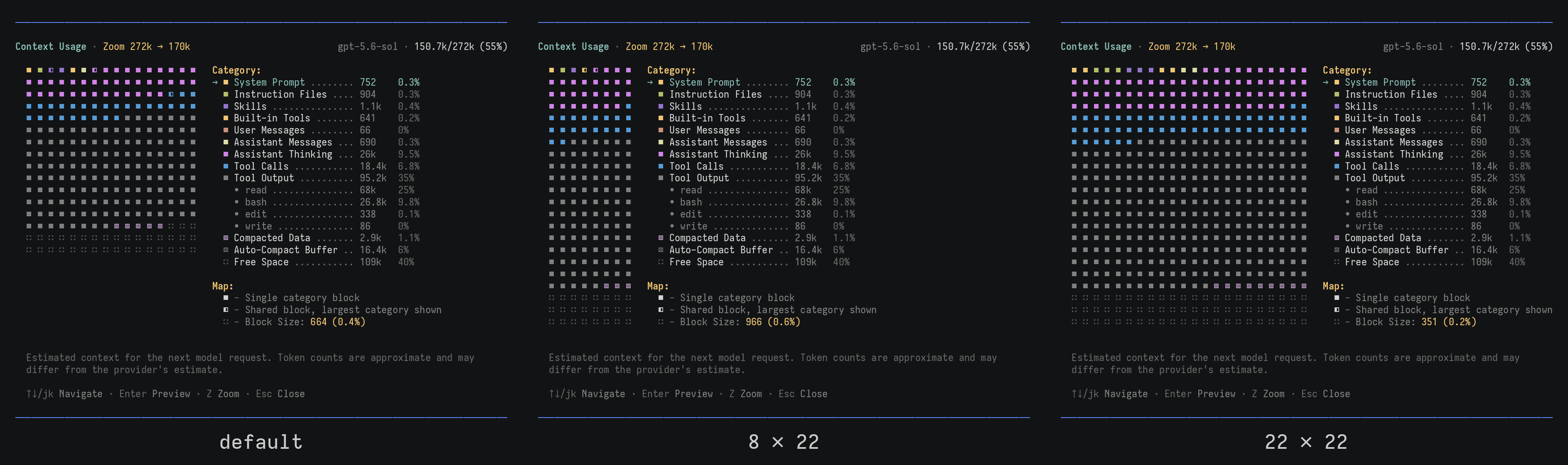
➥ Pi theme in this demo: dark-legacy.
pi-context-view adds nothing to the model context. Opening a view before the
first turn may run one silent probe
that sends no request and leaves only blank entries, omitted from future context.
Set "autoProbing": false in the config to disable it.
📌 S-VHS - terminal recorder used to create the demo GIFs.