
Android application powering the mirror in my house
.jpg)
This was a fun project, and I may pick it back up again one day. You can still follow the instructions for putting a mirror together, but may need to bring your own light-text-on-dark-background app.
- Day, time, and weather display
- Birthday messages
- Chore reminders
- Biking weather recommendation
- Stock price swings
- Today's new XKCD
- Next calendar event
- Top news headline
- Face detection with mood detection
APIs provided by Yahoo Finance, Forecast.io, the BBC, and XKCD

- Clone project
- Get a forecast.io api key
- Add a keys.xml file under res/values with <string name="dark_sky_api_key">your_key</string>
- Import project to Android Studio and run
When its mirror time, I also recommend turning on the device Developer Option: "Stay Awake - Screen will never sleep while charging"
Video walk-through on adafruit (Thank you Becky!)
- Obtain Android device
We had too many. Sad old devices are ideal. I used a 2012 Nexus 7.
- Obtain two-way mirror
We did this the old-fashioned way, and quested to Canal Plastic Center. A beautiful and highly recommended establishment.
Wiki of places to buy two-way mirrors
Get a mirror at least as large as your Android device. My mirror is 6"x12" with 1/8 thickness.
- Sticky stuff for mounting
Our trickiest problem was figuring out how to mount everything with minimal damage and error. We eventually discovered reusable double-sided adhesive, which is amazing.
We're using it both to mount the mirror to the device, and the device to the wall.
- Attach black backing
We used black construction paper. If your device and mirror are awesomely identical in size, you can skip this.
Note: You want to glue it well, so the backing doesn't tear when the adhesive is holding it.
- Cut a piece of black backing the same size as your mirror
- Decide where you want your device to show through. We did upper right. Leave a border all the way around for adhesive.
- At that location, carefully cut a hole in the backing the same size as your device
- CAREFULLY glue the backing to the mirror. We used spray adhesive, and practiced how we would pick it up and lay it on the mirror a couple times before going for it. We also wore black surgical gloves.
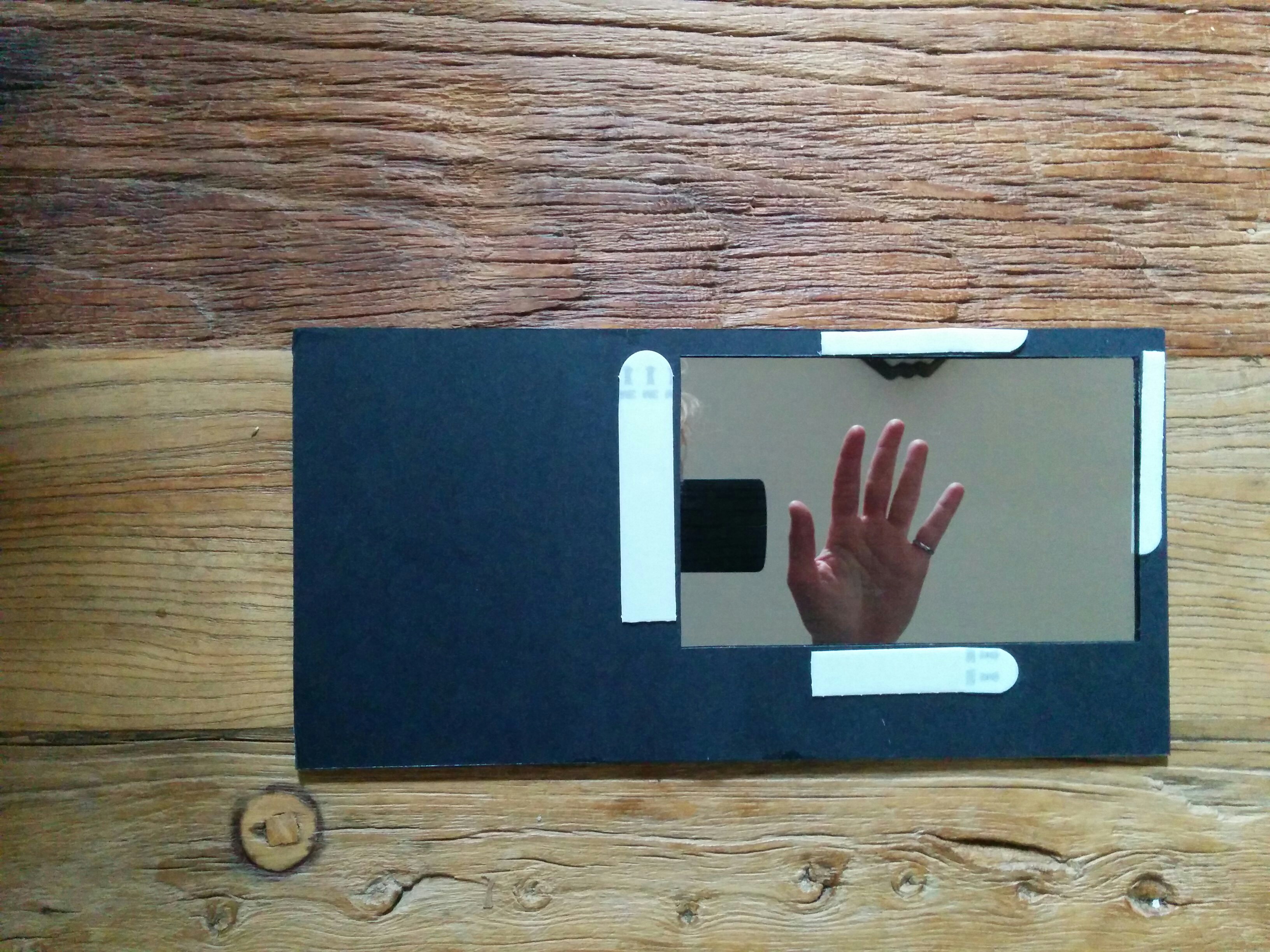
- Adhesion
Fire up the app on the device.
Put the adhesive along the bezel or edges of the device. Line up the mirror and stick it on there.
- Wall spot
You probably want a long usb cable. Find a wall spot where you can keep the device plugged in.
Put a bunch of adhesive on the back of the device, and stick it on there.
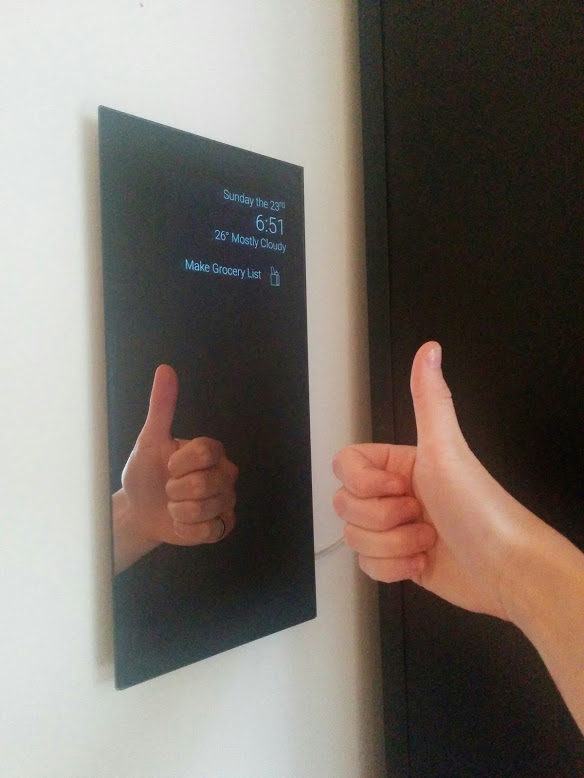
At the heart of this project, is 'put a mirror on it'. Check out alternative mirror projects and feel free to add your own reflections