
Important
We’re unifying OBS into one hybrid Rust/C/C++ build. Prioritize migrating code to Rust and retiring the C/C++ implementations it replaces. Each completed port becomes part of the application, with compatibility and parity checks supporting the transition.






This is an independent rewrite of the obsproject's obs-studio.
Same obs studio, but without the bugs. AI generated issues and PRs welcome.
Got an idea? Start a conversation.
Want to help port OBS to Rust? Paste this into your AI agent:
You are a worker in obs-rust/obs-studio, the Rust rewrite of OBS Studio.
Take exactly one issue from claim to an open pull request, then stop.
1. Clone https://github.com/obs-rust/obs-studio if you are not in it.
   Read AGENTS.md, then .claude/skills/obs-worker/SKILL.md, and follow it.
   It sends you to docs/rust-port/coordination.md and
   docs/rust-port/testing-policy.md: read both before you code.
2. Pick one open issue from label:ready (fall back to
   label:needs-investigation). Skip any with a recent "Claiming:" comment
   or an open PR that names it. Comment "Claiming: #N" with a short plan.
3. Branch from master. Commit a failing test first (RED), then the fix
   that makes it pass (GREEN). Run ./lint. One PR per issue.
4. Open the PR against master, describing RED and GREEN.
5. Do not merge, never push to master, and never commit secrets.
   Report the PR URL and stop. Maintainers queue PRs; you don't.
Stuck? Ask in the Discord linked in the README, or in Discussions.
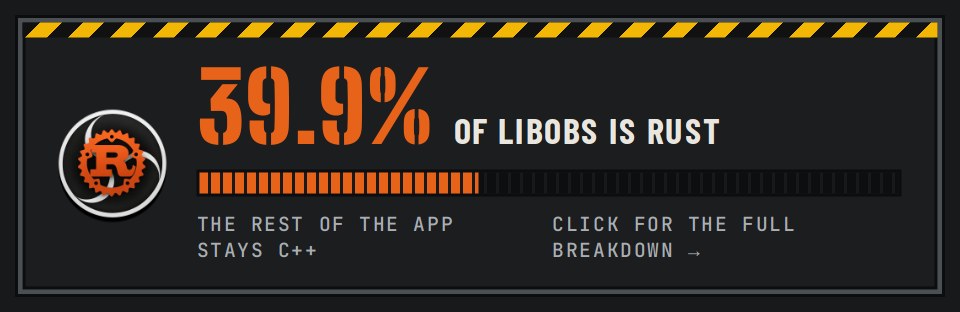
How much of libobs is Rust — the part that has to be ported. The rest of the app can stay C++ in the hybrid build. Measured by tools/conversion/measure.py; click the card for the full breakdown.
Tip
Come talk to us on Discord. We're a new project, and the people building it are there. Ask a question, tell us what works or breaks on your setup (AppImage, .deb, your plug-ins and capture devices), suggest an idea, or follow the port as it lands. No question is too small.
What OBS-Studio-Rust does differently from upstream OBS Studio, for a user: new features, changed behavior and fixed upstream bugs, by area, with links to the issues and pull requests. See the features ledger.
Want to fix one yourself? Contributors, human or AI-assisted, chat about ports and pull requests on Discord.
preview_small.mp4
4.3× faster to the main window and 19% less memory on an NVIDIA streaming rig (#1168, #1170, #1171, #1172).

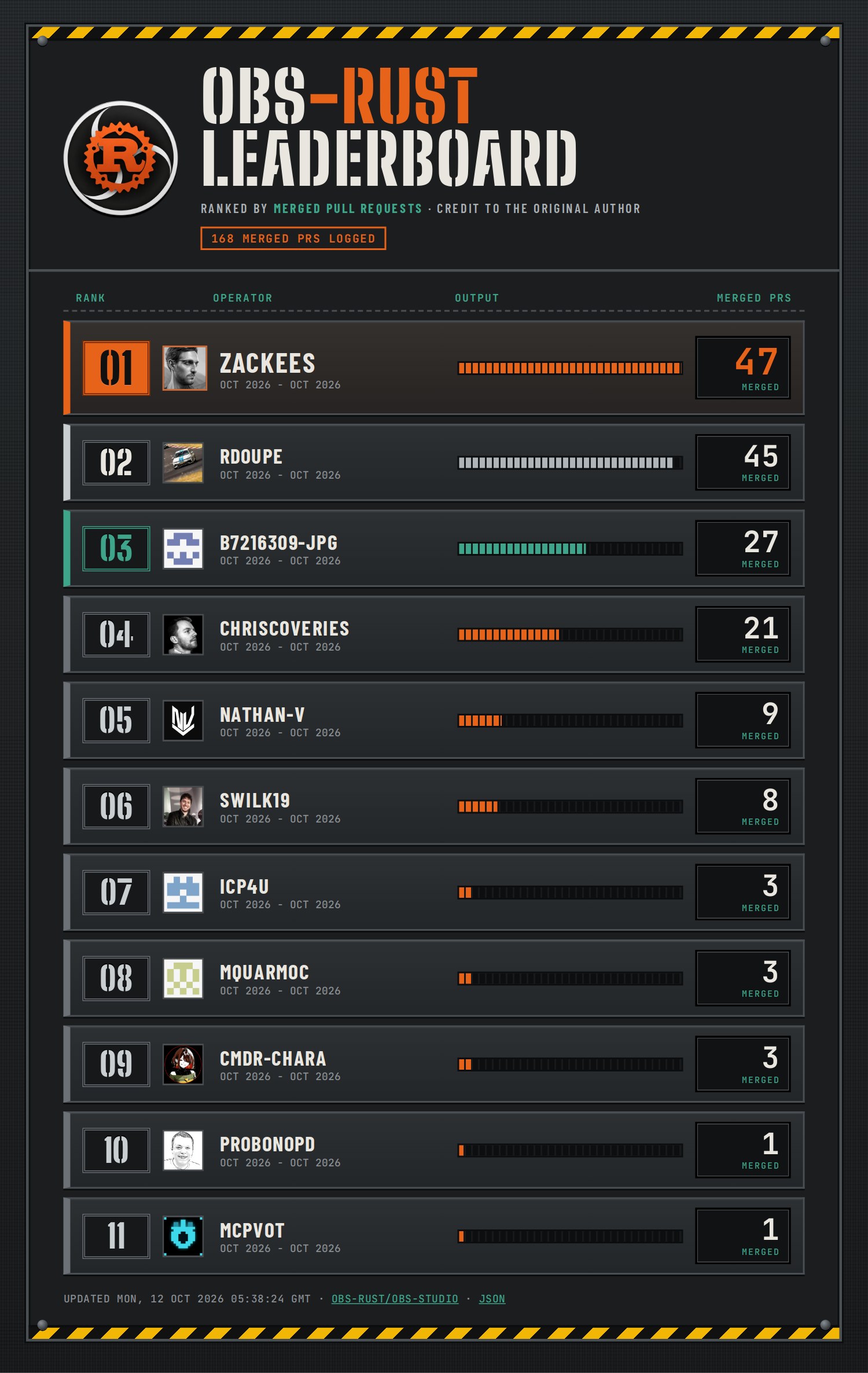
The top five, ranked by merged PRs only, credited to the original author even when a maintainer re-landed the work (counted once). Updated every 4 hours.
Lots of people and AI agents work on this repo at the same time, so CI is built to do as little repeated work as possible:
- Every pull request gets a quick check. It runs the Rust and C tests on Linux, plus macOS or Windows only when your change touches those platforms. It does not build every app package.
- The full build runs before each release. Once a day, and before anything is published, CI builds and tests everything: every platform, the full app, a Flatpak build check and the release packages. A beta only ships if all of it passes.
- You can prove your change locally first. One command (
ci-lint local-gate run) runs the same Linux checks on your machine and signs your commit. CI sees the signature and skips the checks you already ran. - Builds are cached and shared. Rust builds go through
soldr, which reuses compiled code across branches and machines.
The full guide, with the tools, rules and commands, is in docs/ci-tooling.md. If you're contributing, please read it before you push: it explains how to avoid overloading the shared machines and CI.
Where can I get help, or report something that isn't quite a bug?
Join us on Discord: it's the quickest way to reach the people working on OBS Rust. For a reproducible bug, please also file an issue; for longer ideas, start a discussion.
Does OBS Rust support all of the plug-ins?
Yes. OBS Rust is fully backwards compatible with OBS Studio — the plug-ins you already have should work as-is. If you find one that doesn't, that's a bug: please file an issue and link it here so we can track it.
How do I install it on Linux?
Each release has an
AppImage, which runs on any distribution (chmod +x it and run it), and a
.deb for Ubuntu 26.04 (sudo apt install ./OBS-Studio-Rust-*.deb).
The AppImage is tested on AlmaLinux 8 (the glibc 2.28 floor), Ubuntu 22.04,
Ubuntu 24.04, Arch Linux and NixOS. There is
no OBS-Studio-Rust Flatpak yet: com.obsproject.Studio on Flathub is
upstream OBS Studio, so report its bugs there. Ours will install as
io.github.obs_rust.OBSStudioRust, beside upstream's rather than over it.
It keeps its settings in its own folder, so to bring over your scenes from
upstream's Flatpak, copy ~/.var/app/com.obsproject.Studio/config/obs-studio
to ~/.var/app/io.github.obs_rust.OBSStudioRust/config/obs-studio. Its
plug-ins go in ~/.var/app/io.github.obs_rust.OBSStudioRust/data/obs-studio/plugins/.
How do I install plug-ins for the AppImage?
The AppImage loads plug-ins from the same per-user folders as OBS Studio on Linux, so a plug-in you already installed for your own account is picked up as-is. To add one, unpack its Linux build into either of these folders:
~/.local/share/obs-studio/plugins/<plugin>/, with the module at<plugin>/<plugin>.soand its files under<plugin>/data/(the current layout).~/.config/obs-studio/plugins/<plugin>/, with the module at<plugin>/bin/64bit/<plugin>.soand its files under<plugin>/data/(the older layout that many plug-in downloads still use).
Then restart OBS Rust. Tools → Plugin Manager lists what loaded.
Plug-ins installed system-wide by a distribution package (under
/usr/lib/obs-plugins or /usr/lib/<arch>/obs-plugins) are not loaded.
They were built against that distribution's OBS and libraries, not the ones
inside the AppImage. Use the plug-in's own Linux download instead.
A plug-in with its own Qt windows must be built for a Qt 6 release no newer than the one in the AppImage. If a plug-in sits in one of those folders but doesn't load, run the AppImage from a terminal and the log will say why. Then file an issue as above.
Want to see the original README from OBS Project? Click here.
Bugs they confirmed, then closed. Features you relied on, then removed. Twelve upstream threads where users showed up in numbers and were turned away anyway. Six of them were closed as stale on a single afternoon.
| Issue | 💬 | Fate | |
|---|---|---|---|
| 🥇 | Preview Stutter that appears in Streams/Recordings | 184 | locked (off-topic) |
| 🥈 | OBS Virtual Camera may affect built-in webcams | 87 | closed not planned, locked |
| 🥉 | Removal of --disable-shutdown-check breaks automated background workflows | 64 | closed not planned, locked |
| 4 | Dock Sizes are Reset the next time you open OBS. | 34 | closed not planned |
| 5 | Pause and Resume Recording Doubles or Triples CPU usage | 34 | closed not planned |
In their own words:
“No amount of "I don't like your answer" will change it.” — #9285, to a user who said a downgrade fixed their dropped frames
“However, if you refuse to follow the process, there is nothing we can do, and this report is not actionable.” — #13685, in the same comment that admitted 32.2 had raised the driver minimum
“[…] that decision has already been made.” — #12650, on removing a flag users' setups depended on