

Faster. Together.
A search card. A complete dashboard. Same card.
Type to find. Tap to control. Glance to know.
A modern dashboard for Home Assistant.
Setup in under 10 seconds. One line.










On GitHub since 2016 · 2,000+ releases shipped · Zero telemetry, audited every release
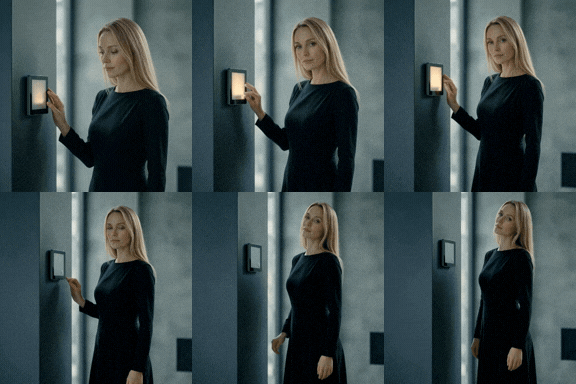


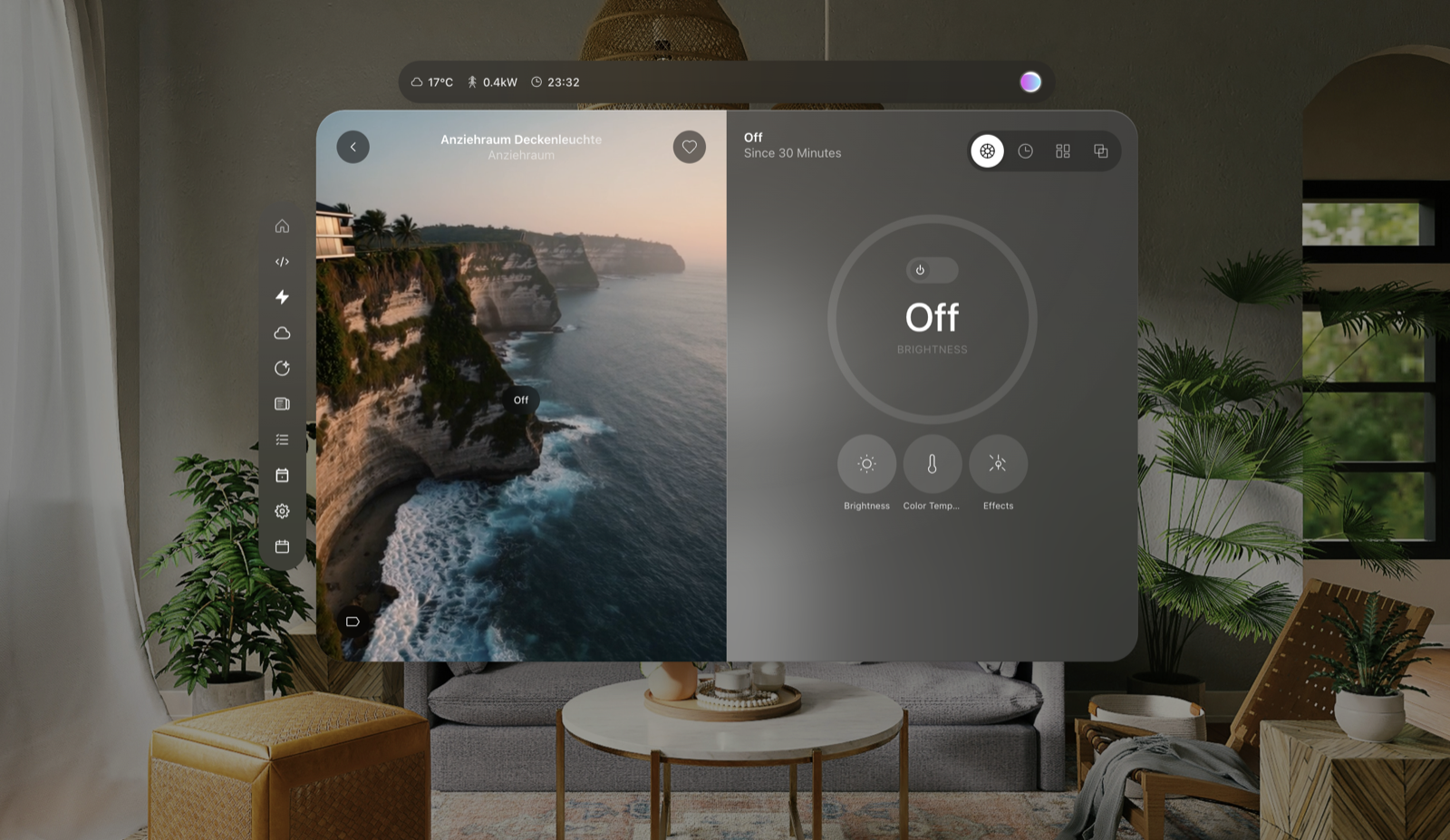
Detail View video backgrounds — climate, music, light. Anything could play there. Your own footage works too. Starter pack and conventions →
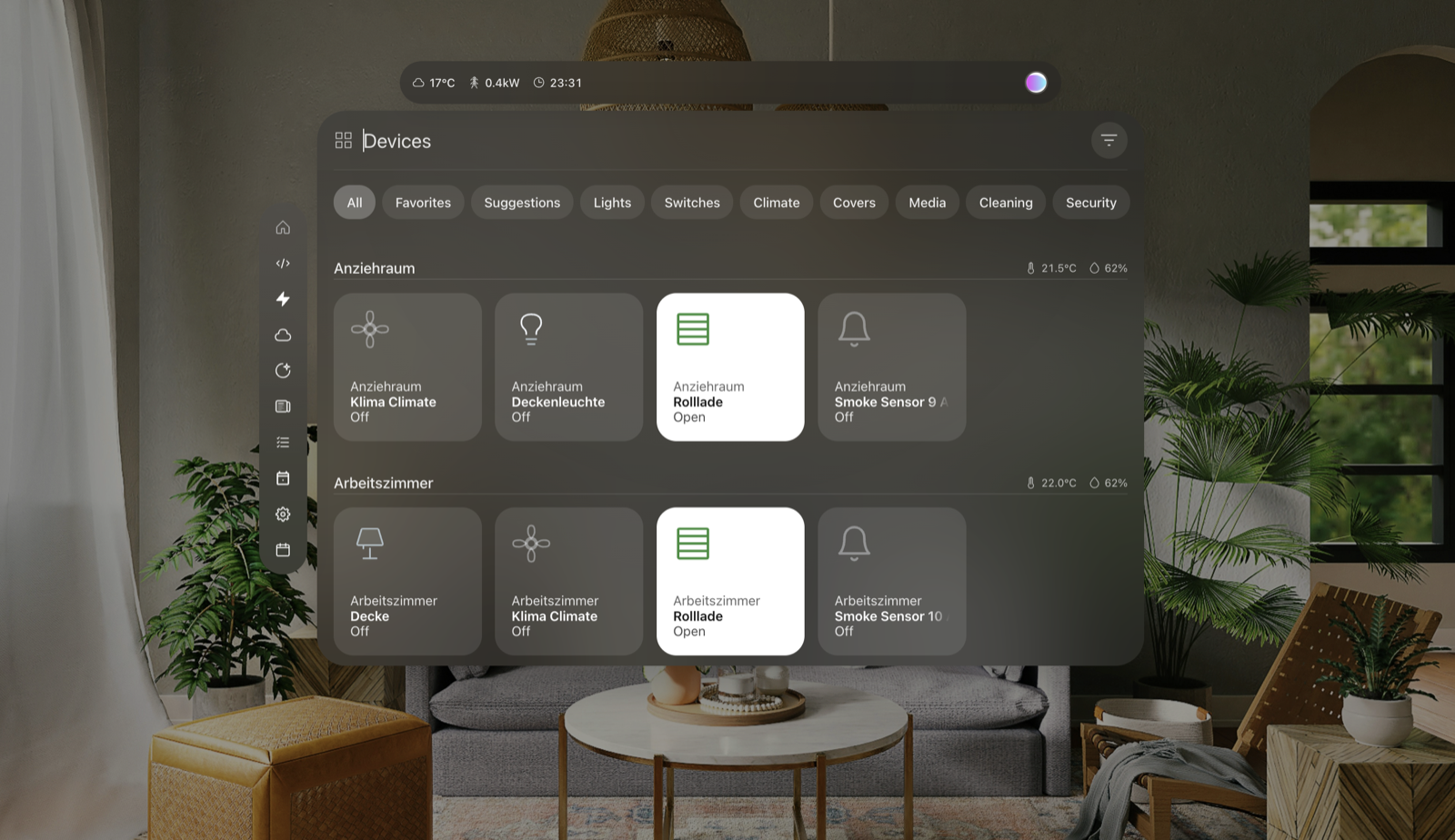
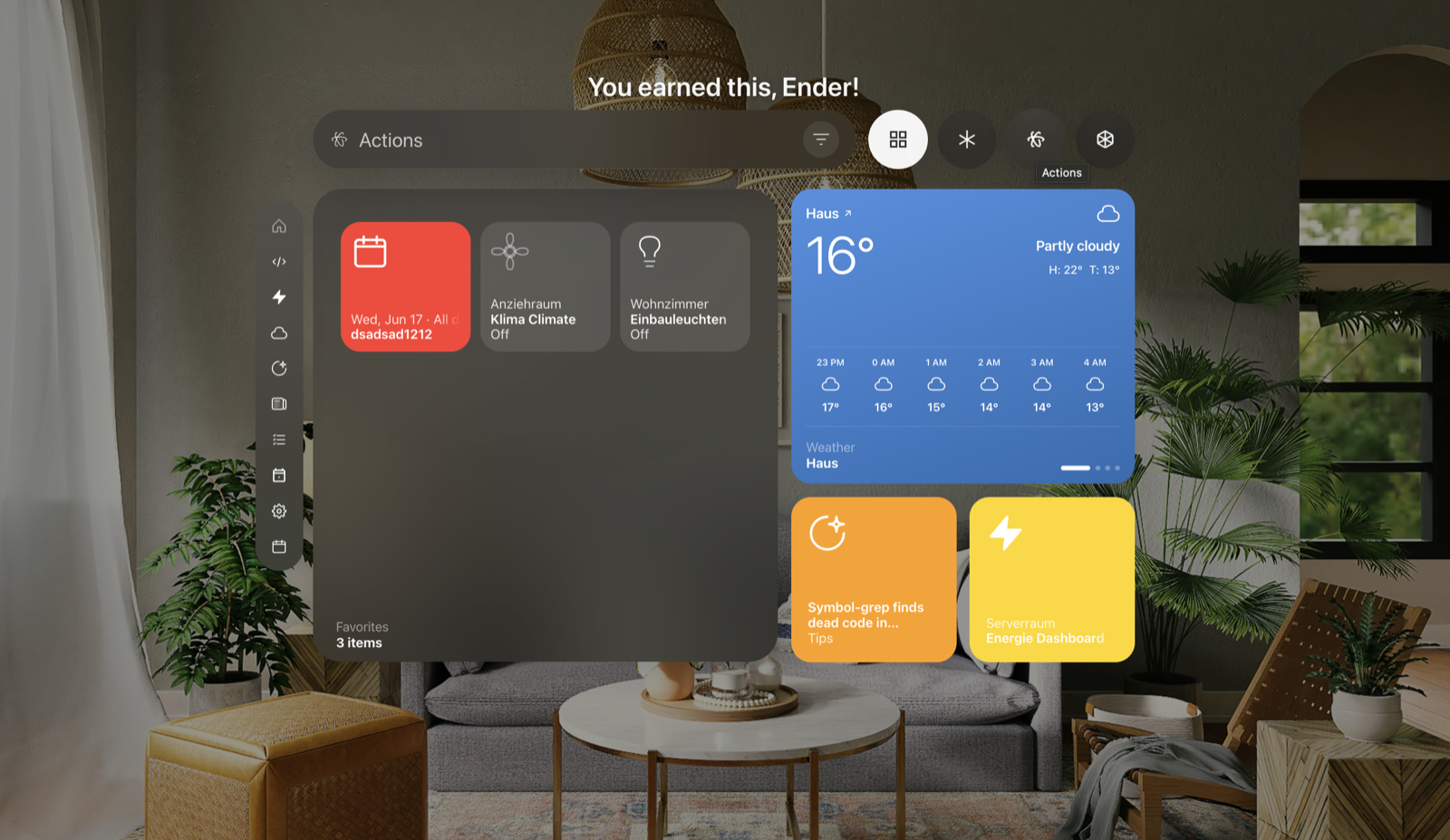
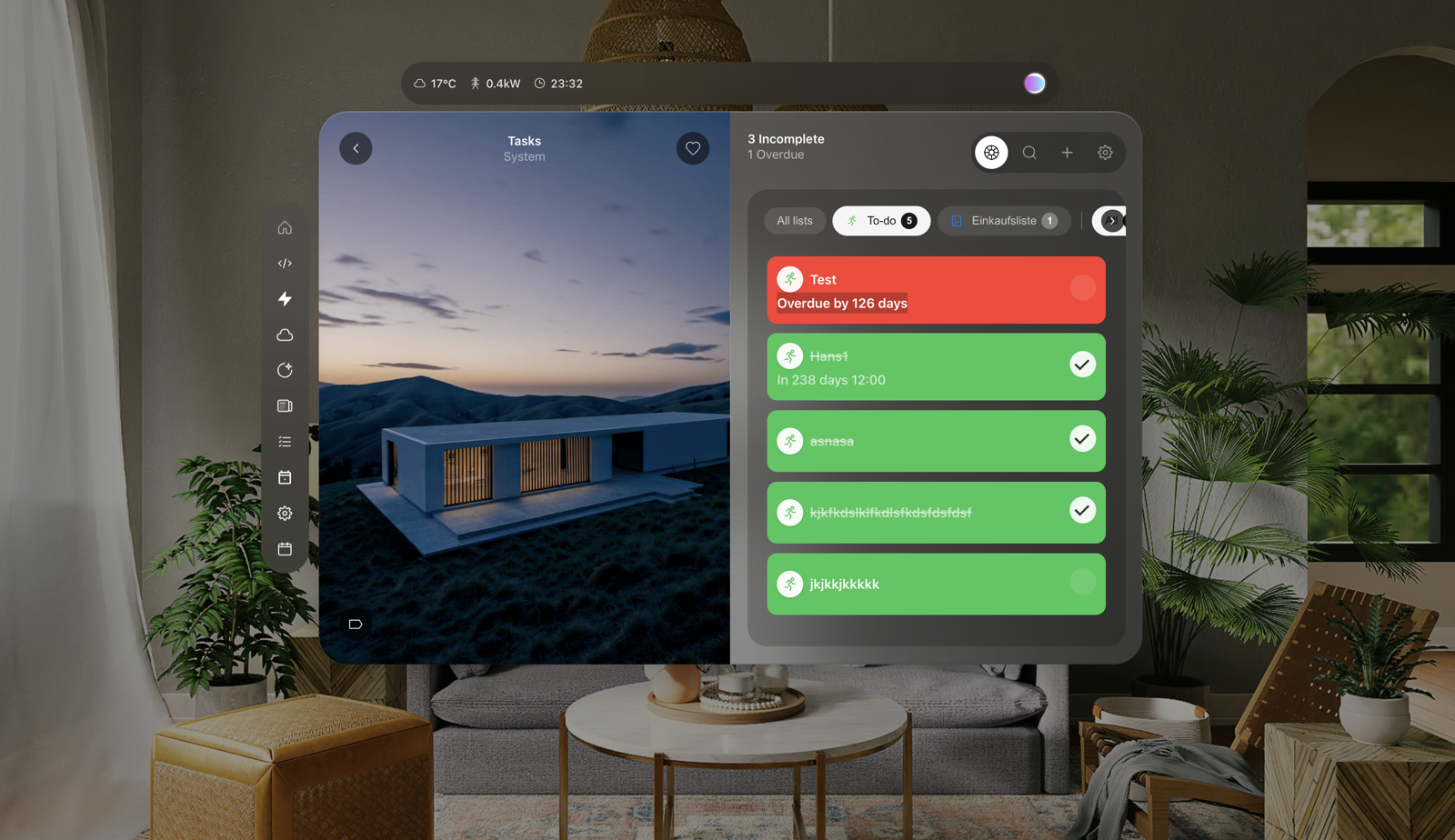
Trailer · Install Guide · Features · Security · Performance · Quality · Roadmap
One click — open it straight in your Home Assistant (HACS opens with the repository pre-filled, just hit Download):

Requires HACS + the My Home Assistant integration (built in). The link is a My link — no need to copy the repo URL by hand.
Or add it manually (three steps)
- Add this repo as a Custom Repository in HACS — Type
Lovelace, URLhttps://github.com/fastender/Fast-Search-Card. - Install Fast Search Card from HACS.
- Register the resource in your dashboard — URL
/hacsfiles/fast-search-card/fast-search-card.js, TypeJavaScript Module.
Then drop one line into your dashboard:
type: custom:fast-search-cardThat's it.
Manual install
- Download
fast-search-card.jsfrom Releases. - Copy to
/config/www/community/fast-search-card/. - Register the resource under Settings → Dashboards → Resources, type
JavaScript Module. - Restart Home Assistant.
Optional. Worth it.
The card works the moment you install it. It shines when your Home Assistant is organized.
Four things make the difference:
- Floors — your home's levels. Used for sidebar structure.
- Areas — your rooms. Used for grouping.
- Labels — tags you choose. Used for filtering.
- Visibility — hide what doesn't belong. Respected everywhere.
Already organized? The card picks it up automatically. Hidden entities stay hidden. Disabled entities stay disabled. Nothing leaks through.
New to this? Start with areas, then floors, then labels. The full guide is at home-assistant.io/docs/organizing.
You already named every device. You already grouped them by area. You already decided what's visible and what isn't.
Why do it twice?
The card reads your Home Assistant — floors, areas, labels, visibility — and builds itself from what it finds.
Add a light to a room? It appears. Rename a floor? The card follows. Hide an entity? Hidden. Reorder areas? Reshuffled.
No YAML. No copy-paste. No second source of truth.
Same idea behind Home Assistant's own dashboard strategies — render from your settings, not from a config file. But as a card, so your dashboard structure stays yours.
A smart home should be measured by what runs without you. By automations. By scripts. By things that happen because they should.
Not by how its dashboard looks.
But you still need a dashboard. And the hours you spend dragging cards, writing YAML, picking icons — that time belongs to automations, not to layout.
This card flips it. Do the work once in Home Assistant — name your devices, group them by area, label them properly. The dashboard builds itself. In under a minute.
Spend the rest of your weekend on something that actually runs.
No telemetry. No tracking. No external API calls of its own — AI mode talks only to your Home Assistant, which passes the question, the card's device list and (if you leave it on) your upcoming events and open tasks to the AI provider you set up there. No authentication material stored.
Audited on every release. Single-file bundle you can grep yourself.
See SECURITY.md for the complete audit and the full list of what's stored locally.
First paint around 900 ms (measured 2026-04-24). 604,876 bytes gzipped at v1.1.2409, checked against a size budget on every release. 55–60 fps scrolling a 400-entity list on mid-range mobile (measured 2026-04-17).
rAF-batched updates. virtua-virtualized lists. Instant repeat searches via LRU cache. No main-thread starvation.
Every number is dated. Single-file bundle you can profile yourself.
See PERFORMANCE.md for the full audit and when each number was measured.
Home Assistant has a Quality Scale for integrations — Bronze, Silver, Gold, Platinum. Lovelace cards are explicitly out of scope.
This card lands in the Custom special tier by definition. Measured against the Scale's principles anyway, it meets Bronze and most of Silver and Gold; the open points are test coverage of the newest modules (a Playwright suite covers the main surfaces), a troubleshooting guide, and typing.
No fake badge. Just a transparent self-assessment.
See QUALITY.md for the full tier-by-tier mapping and what's still missing.
One file in www/. No Docker. No add-on. No daemon. Nothing to install, nothing to maintain.
Home Assistant restart? Still there. Core upgrade? Still there. Full system crash? Right where you left it when you boot back.
Nothing on the server runs. The card lives only in your browser.
A start screen. A calendar. Reminders. News. Energy monitoring. Music control. A scheduler. A settings hub. A device builder.
One card. A complete dashboard. All local.
Bento Start. A start screen made of widgets. Live.
Four configurable slots. Weather, calendar, todos, news, favorites — all live. Slides automatically. Adapts to mobile.
On a wall tablet the height ladder fits the card to low screens, the screensaver returns to a clock page and dims it in deep rest, motion or a doorbell wakes it, the real display can switch off and on with it, and a photo frame cycles your pictures behind the clock.
Island. Status at a glance, messages on demand.
A status line at the top of the card; tap it for a summary of your messages. The Notification Center's history tab is the house chronicle — what the whole house did, day by day.
Sidebar. A liquid-glass dock for your apps.
Left on desktop. Bottom on mobile. Pick which apps appear. Hover to expand — smooth glass deblur, labels stagger in. Active app stays highlighted.
Search. Fuzzy, fast, forgiving.
Type a typo. Type a room. Type a feeling. Combine area and domain as chips. Find anything in milliseconds. Learns your patterns over time.
Browse. Two views. Four categories. Your order.
Grid or list — switch any time.
Four categories: Devices. Sensors. Actions. Custom. Each with its own filters.
Sort by area. Sort by category. Sort by what you use most. The card learns and reorders itself.
Detail View. Everything about everything.
Five tabs per device. Controls. Context. History. Schedule. Settings. Circular sliders, scene execution, Chart.js graphs, built-in scheduler. Made for one-tap actions.
Video backgrounds when you have them — drop {domain}_{state}.mp4 into /local/fast-search-videos/ (or your own path) and the detail view plays it behind the controls. Looped. Muted. Automatic. See media/ for the naming convention and a starter list.
Calendar. A real calendar. Local. In Home Assistant.
Day, Week, Month, Year views. Native HA WebSocket integration. All events stay on your Home Assistant. No cloud, no account (an event's location goes to a map provider only if you switch on map links and tap one — see SECURITY.md). Recurring events with five preset patterns. Add, edit, delete — without leaving the dashboard.
Calendar groups, event rules and a lane per person for the family week; the week reads as day columns.
Todos. Local reminders, reborn.
Every HA todo.* backend, in one place. All lists stay on your Home Assistant. No cloud, no account. Overdue items in red. Smooth wheel pickers for due dates. Multi-list filters that actually combine.
Live todos update when something changes elsewhere, deletions can be undone for six seconds, repeated overdue items stack into one row, and you can add a task by dictation.
News. Reader bundled in.
RSS-aware. Renders images other readers miss. Mark-as-read. Unread badge. Deep-links straight from the start screen.
Powered by fast-news-reader — a companion HACS custom component that does the heavy lifting (feed parsing, content:encoded image extraction, persistence). One install, no extra config.
Music Assistant. Your queue, your way.
Search libraries. Browse the queue. Multi-engine TTS with language switching. Now playing as the background.
Energy Dashboard. Numbers that make sense.
Real-time charts. Sensor setup wizard. Multi-schema support — works with every HA Core since 2025.11.
Device Builder. Custom devices, without code.
A visual builder for any device — energy monitors, 3D printers, weather stations, or fully custom. Pick a category, choose your sensors, name them. The card adds the view to your dashboard.
No YAML. No code. Edit anytime.
Settings. In the card. Not somewhere else.
Search every setting and jump straight to it, or list what you changed. Background filters. Squircle cards. Splashscreen styles. Excluded patterns with live preview. English and German today, more languages on the way. All persistent.
And more.
Apps. Changelog. Tips. All-Schedules. Live weather. Bambu Lab 3D printer support.
Design. Liquid-Glass sliders and switches. One glass window for every popup. Smooth motion throughout. Handwritten splashscreen. Toast notifications. Chart.js graphs everywhere.
Reliable. Failed actions say so and roll back. A broken tile no longer empties the card. A version watcher notices when a wall tablet still runs old code after an update. Keyboard and screen readers reach settings rows, device tiles, chips, detail tabs, popups and every icon button.
Smart. Predictive suggestions that learn your habits. List virtualization for thousands of entities. AI Mode through the AI task you set up in Home Assistant — it sees and switches only what the card shows, and creates or changes events and tasks after your tap.
See FEATURES.md for the full list.
Preact · Framer Motion · Fuse.js · Chart.js · virtua · IndexedDB
Single file. 604,876 bytes gzipped at v1.1.2409 (measured 2026-09-13).
Every bundled dependency is open source under MIT, Apache-2.0 or 0BSD. Their copyright notices and license texts are in THIRD-PARTY-NOTICES.md.
AI is a powerful tool. It's used to build this card — mostly Claude. It's also used inside Home Assistant itself: voice, conversation, summarization.
Every commit in this repo declares it. A Co-Authored-By footer names the model that helped. Every release is reviewed before it ships. AI accelerated the work; a human still decides what's good enough.
No mystery. No pretending.
For users
- Features — Everything the card does
- Quality — Where the card stands on HA's Quality Scale principles
- Version history — Every release, every change
For developers
- Feature roadmap — Every idea with its status
- Performance — Bundle, render, scroll, with measurement dates
- Custom component roadmap — Companion HACS packages
Found a bug? Open an issue. Want a feature? Open an issue.
This repository ships the built bundle only. The source is not published, so code contributions aren't possible — issues and feature requests are how things get built here.
Forks are legally allowed under the GPL but must use a different name. See TRADEMARKS.md.
GPL-3.0-or-later. Free to use. Redistribution and derivative works are subject to the same license.
Third-party components keep their own licenses — see THIRD-PARTY-NOTICES.md.
The name "Fast Search Card" is reserved — see TRADEMARKS.md for the trademark notice and what forks may and may not do with the branding.
Made in Germany 🇩🇪 with a Turkish heart 🇹🇷
Built for the Home Assistant community by a developer on GitHub since 2016.
