
websocketd is a small command-line tool that will wrap an existing command-line interface program, and allow it to be accessed via a WebSocket.
WebSocket-capable applications can now be built very easily. As long as you can write an executable program that reads STDIN and writes to STDOUT, you can build a WebSocket server. Do it in Python, Ruby, Perl, Bash, .NET, C, Go, PHP, Java, Clojure, Scala, Groovy, Expect, Awk, VBScript, PowerShell, Haskell, Lua, R, whatever! No networking libraries necessary.
Upon startup, websocketd will start a WebSocket server on a specified port, and listen for connections.
Upon a connection, it will fork the appropriate process, and disconnect the process when the WebSocket connection closes (and vice-versa).
Any message sent from the WebSocket client will be piped to the process's STDIN stream, followed by a \n newline.
Any text printed by the process to STDOUT shall be sent as a WebSocket message whenever a \n newline is encountered.
If you're on a Mac, you can install websocketd using Homebrew. Just run brew install websocketd. For other operating systems, or if you don't want to use Homebrew, check out the link below.
Download for Linux, macOS and Windows
To get started, we'll create a WebSocket endpoint that will accept connections, then send back messages, counting to 10 with 1 second pause between each one, before disconnecting.
To show how simple it is, let's do it in Bash!
count.sh:
#!/bin/bash
for ((COUNT = 1; COUNT <= 10; COUNT++)); do
  echo $COUNT
  sleep 1
done
Before turning it into a WebSocket server, let's test it from the command line. The beauty of websocketd is that servers work equally well in the command line, or in shell scripts, as they do in the server - with no modifications required.
$ chmod +x count.sh
$ ./count.sh
1
2
3
4
5
6
7
8
9
10
Now let's turn it into a WebSocket server:
$ websocketd --port=8080 ./count.shFinally, let's create a web-page to test it.
count.html:
<!DOCTYPE html>
<pre id="log"></pre>
<script>
  // helper function: log message to screen
  function log(msg) {
    document.getElementById('log').textContent += msg + '\n';
  }

  // setup websocket with callbacks
  const ws = new WebSocket('ws://localhost:8080/');
  ws.onopen = () => {
    log('CONNECT');
  };
  ws.onclose = () => {
    log('DISCONNECT');
  };
  ws.onmessage = (event) => {
    log(`MESSAGE: ${event.data}`);
  };
</script>
Open this page in your web-browser. It will even work if you open it directly
from disk using a file:// URL.
-
Very simple install. Just download the single executable for Linux, Mac or Windows and run it. Minimal dependencies, no installers, no package managers, no external libraries. Suitable for development and production servers.
-
Server side scripts can access details about the WebSocket HTTP request (e.g. remote host, query parameters, cookies, path, etc) via standard CGI environment variables. Note that
SERVER_NAMEandSERVER_PORTmirror the request'sHostheader (virtual-host semantics, as innet/http/cgi), so a client that controls itsHostheader controls them too. Do not make access decisions on them. -
As well as serving websocket daemons it also includes a static file server and classic CGI server for convenience.
-
Can listen on a Unix domain socket (
--unixsocket) instead of, or alongside, a TCP address. That exposes websocketd only to processes on the same host, e.g. behind an SSH-forwarded or reverse-proxied socket.--socketmode(e.g.0700) pins the socket's permissions instead of leaving them to the process umask. -
STDERR can optionally be forwarded to WebSocket clients (
--passstderr), tagged alongside STDOUT as JSON so a client can tell the two apart. -
When a client disconnects, the command is shut down, and so is any child process it spawned. Teardown signals the whole process group. Scripts that deliberately spawn survivors should start them in their own session (
setsid). -
Command line help available via
websocketd --help. -
Includes a built-in WebSocket developer console (
--devconsole) to test and debug your scripts before you've built a JavaScript frontend. Connect, send a frame, and read back what your script wrote to stdout, with no client code. A compact frame list sits beside a detail pane for the selected frame's opcode, size, and pretty/raw/hex payload views, and it works in light or dark.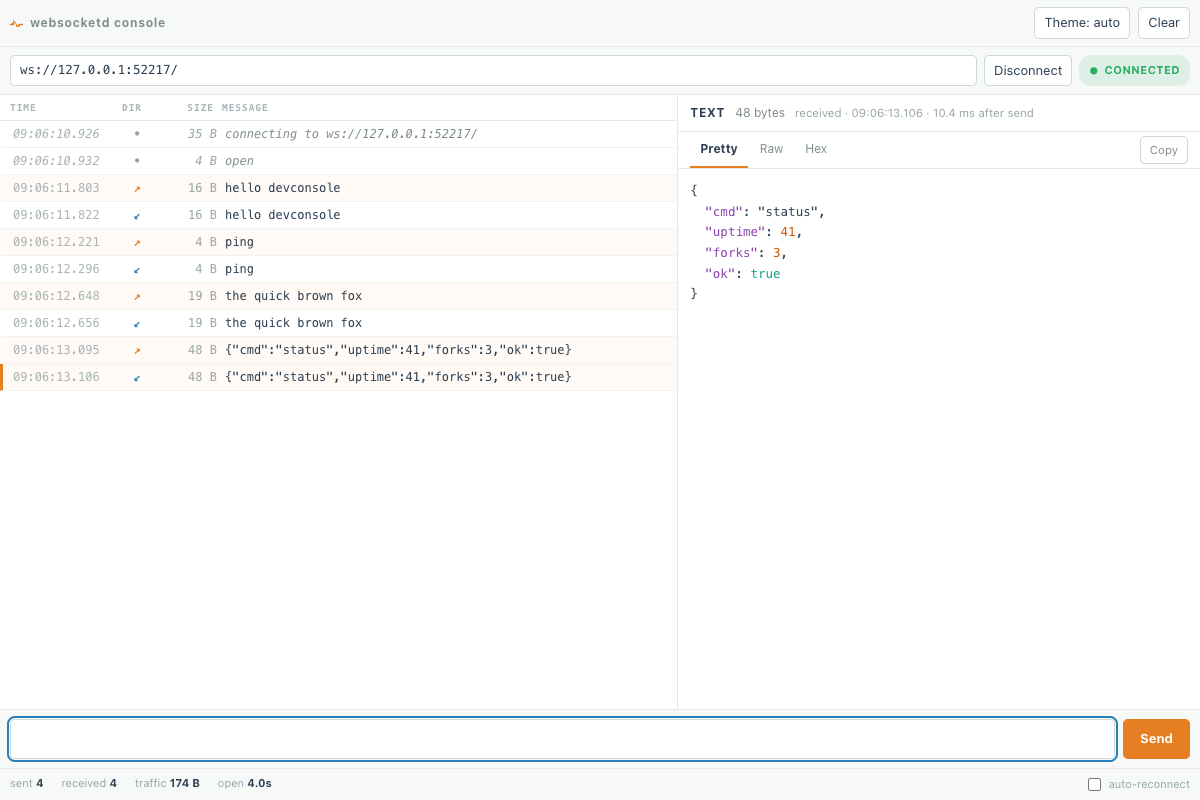
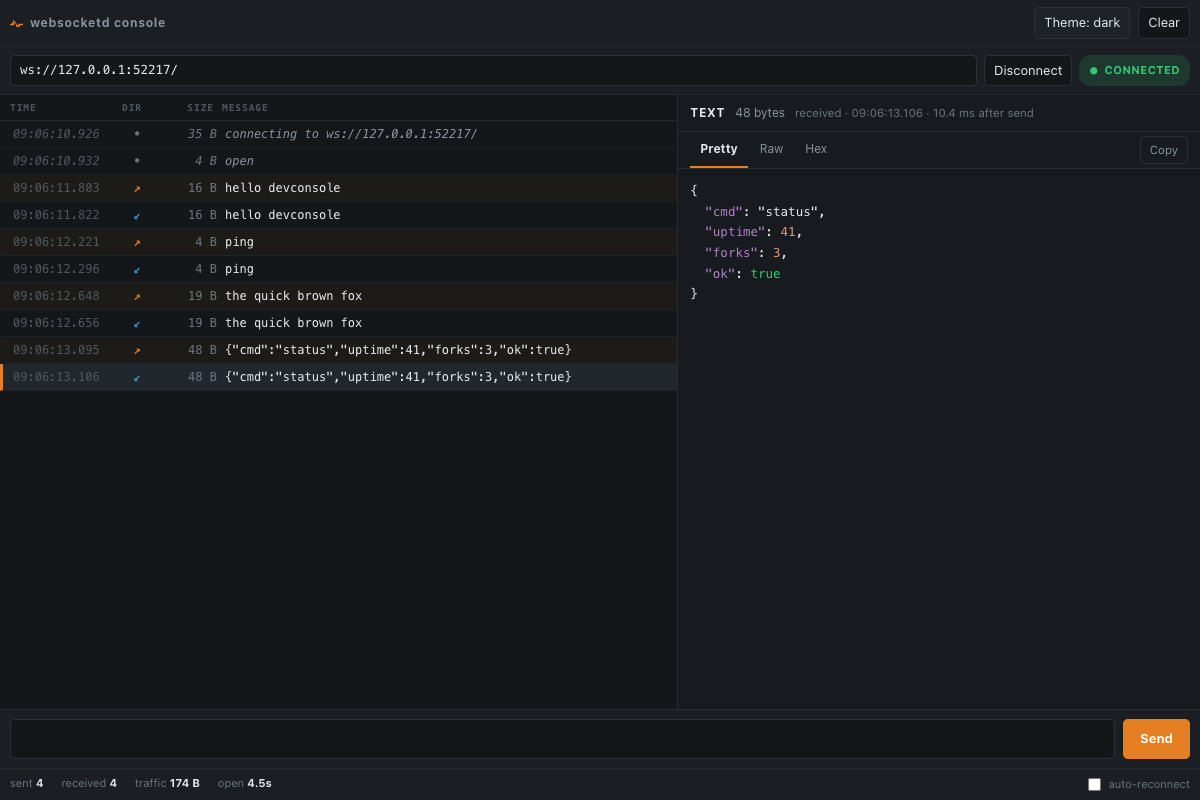
Watch a short demo of connect → send → receive.
-
Examples in many programming languages are available to help you getting started.


- Plot real time Linux CPU/IO/Mem stats to a HTML5 dashboard using websocketd and vmstat (for Linux)
- Arbitrary REPL in the browser using websocketd
- Retrieve SQL data from server with LiveCode and webSocketd
- List files from a configured folder (for Linux)
- Listen for gamepad events and report them to the system (this + android = gamepad emulator)
Got more examples? Open a pull request.
- ReconnectingWebSocket - Simplest way to add some robustness to your WebSocket connections.
- Smoothie Charts - JavaScript charts for streaming data.
And follow @joewalnes!
